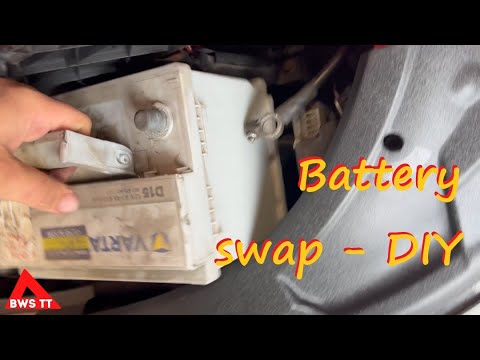
Quick answer: 12V Battery Replacement on a 1998–2001 GMC Envoy is rated Easy and takes about 30-90 minutes. You'll need 2 tools for this job, and parts cost about $180. This guide walks you through the full job step by step, including the mistakes to avoid.
| Part Name |
Part Number |
Price |
Buy |
| Replacement 12-volt battery for 1998-2001 GMC Envoy; verify group size, CCA, terminal layout, and VIN fitment |
— |
$180.00 |
|
| Anti-corrosion terminal protectant or felt washers (optional) Optional |
— |
$8.00 |
|
About prices: shown prices are typical retail averages and change frequently; cheaper alternatives may be available. Confirm the current price before buying.
💡 Pro tip: Order all parts at once to save on shipping
Step-by-Step Instructions
Follow these steps carefully
1
Verify battery fitment and charging symptoms
Before spending money, confirm the battery is really the problem: slow cranking, dim headlights, a battery or charging-system warning light, corrosion on the terminals, or a swollen or leaking case.
2
Make the vehicle safe
Park the 1998-2001 Envoy on level ground, set the parking brake, and switch the ignition fully off. Take the key or fob well away from the car so the modules can go to sleep.
🔧 Mechanic's note — Tom Becker
The Envoy's battery is seriously heavy. I get help lifting it out — large SUV batteries are absolutely no joke.
3
Disconnect the old battery
Remove the hold-down hardware, then disconnect the NEGATIVE cable first and tuck it aside where it can't touch metal or the positive post. Then remove the POSITIVE cable. Snap a photo of the cable routing and hold-down before you lift the battery out.
4
Seat the battery and reconnect
Lower the new Group 78 battery into place in the engine bay, seat it flat, and secure the hold-down firmly without crushing the case. Connect the POSITIVE cable first, then the NEGATIVE cable, and snug each clamp so there is no wiggle.
5
Reset and verify operation
Reinstall everything you removed — the terminal covers. Start the Envoy and make sure the battery and charging-system warnings stay off. Radio presets and the clock will reset. With the engine running, charging voltage at the terminals should read roughly 13.5 to 14.8 volts. If the battery gets hot, leaks, smells of sulfur, or won't stay clamped, stop and have the charging system inspected.
All Done!
Test your repair before closing everything up. If something doesn't work right, double-check your steps.
⚠️ Common Mistakes to Avoid
- • Buying by appearance instead of group size, CCA, polarity, and hold-down fit
- • Shorting the positive terminal to the body with a metal tool
- • Lifting the battery by damaged terminals or leaving it unsecured
- • Skipping battery registration, window/clock resets, or charging-system checks when required
- • Assuming a new battery fixes a parasitic draw or charging fault