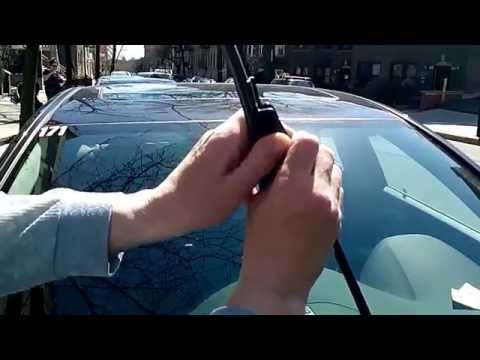
Quick answer: Wiper Blade Replacement on a 2017–2024 Honda Ridgeline is rated Easy and takes about 15–20 minutes. You'll need 1 tool for this job, and parts cost about $66. This guide walks you through the full job step by step, including the mistakes to avoid.
| Part Name |
Part Number |
Price |
Buy |
| Driver wiper blade, 26" |
Bosch 26A |
$32.99 |
|
| Passenger wiper blade, 24" |
Bosch 24B |
$32.99 |
|
About prices: shown prices are typical retail averages and change frequently; cheaper alternatives may be available. Confirm the current price before buying.
💡 Pro tip: Order all parts at once to save on shipping
Step-by-Step Instructions
Follow these steps carefully
1
Confirm your sizes
The second-generation Ridgeline (2017–2024, the unibody truck) takes a 26-inch blade on the driver side and a 24-inch blade on the passenger side. That is one of the longest driver blades on any pickup, so the box will feel oversized — that is correct. Do not trust listings that quote 22 inches on both sides; those belong to the first-generation Ridgeline (2006–2014). Both front blades use the common 9×3 mm small J-hook arm, so almost any quality beam or conventional blade with a pre-fitted J-hook adapter will slot straight on. There is no rear wiper on a Ridgeline — it is a pickup with a tailgate, not a liftgate — so you only need the front pair.
🔧 Mechanic's note — Ray Delgado
I've learned: this is the part people get wrong: Do not trust listings that quote 22 inches on both sides; those belong to the first-generation Ridgeline (2006–2014).
2
Park the truck and prep the windshield
Switch the ignition off and leave the wipers in their normal parked position at the base of the windshield.
3
Remove the old driver-side blade
Lift the driver-side arm away from the glass until it holds itself upright on its spring hinge. Look at the underside of the blade’s center saddle, where it hooks over the arm’s J-shaped end — you will see a small release tab.
4
Prepare the new 26-inch blade
Unbox the driver-side blade and strip off the plastic protector covering the rubber squeegee. Lay it beside the old blade to confirm both are 26 inches — mixing up the 26 and the 24 is the easiest mistake on this truck because the two blades look nearly identical. Confirm the J-hook adapter is already clipped into the blade’s saddle; most blades ship with it pre-fitted.
5
Install the driver-side blade and check the lock
Hold the wiper arm steady and feed the J-hook end of the arm into the new blade’s saddle, then slide the blade upward along the arm until the release tab snaps shut with an audible click.
6
Do the passenger side — and note there is no rear wiper
Repeat the squeeze-slide-click process with the 24-inch blade on the passenger arm. Double-check you have not swapped the two blades: the longer 26-inch blade always goes on the driver side, since the driver’s side of the windshield is the wider sweep.
7
Test with washer fluid and troubleshoot
Switch the ignition on and run the washers — pull the wiper stalk toward you — letting the wipers sweep several times. Look for streaks, skipped arcs near the blade tips, or a rhythmic chatter.
All Done!
Test your repair before closing everything up. If something doesn't work right, double-check your steps.
⚠️ Common Mistakes to Avoid
- • Swapping the 26-inch and 24-inch blades — the longer blade must go on the driver side.
- • Buying 22-inch blades from a first-generation (2006–2014) Ridgeline listing.
- • Not pushing the blade far enough up the J-hook for the release tab to click, so it flies off in rain.
- • Forgetting to remove the plastic protector strip from the new rubber edge.